XL50A
XL50 Series • HVAC Controller
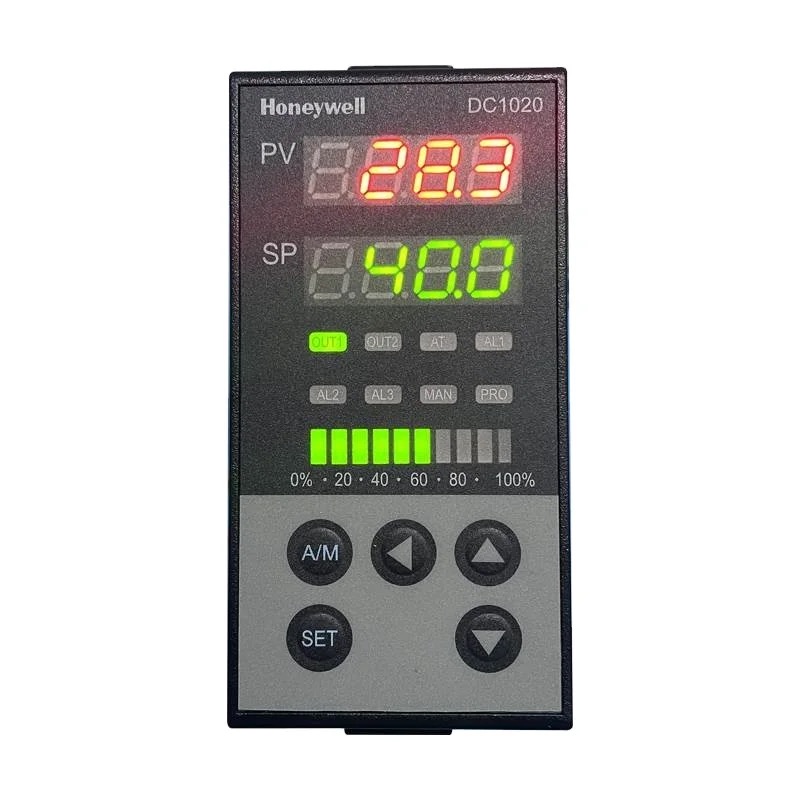
Quick Info
Output Functions
Programmable HVAC controller for air handling units
Technical Specifications
Display & Interface
| Display Type | LCD |
| Display Digits | 4 |
| Buttons | 6 |
| LED Indicators | Run, Alarm, Comm |
Power Supply
| Voltage | 24V AC |
| Voltage Range | 20-30V AC |
| Frequency | 50/60Hz |
| Power Consumption | 10VA |
Sensor Inputs
| Probe Inputs | 4 |
| Probe Type | NTC 10K / 4-20mA / 0-10V |
| Temp Range | -40 to 100°C |
| Accuracy | ±0.5°C |
Relay Outputs
| Relay Outputs | 4 |
| Relay Rating | 2A/24VAC |
Physical
| Panel Size | DIN rail mm |
| Depth | 110 mm |
| IP Rating | IP20 |
| Weight | 400 g |
Operating Conditions
| Operating Temp | 0 to 50°C |
| Storage Temp | -20 to 70°C |
Wiring Terminals
| Terminal | Function | Type | Wire Color |
|---|---|---|---|
| 24V | Power + | Input |
red
|
| GND | Power - | Input |
black
|
| AI1 | Analog Input 1 | Input |
white
|
| AI2 | Analog Input 2 | Input |
white
|
| AI3 | Analog Input 3 | Input |
white
|
| AI4 | Analog Input 4 | Input |
white
|
| DI1 | Digital Input 1 | Input |
gray
|
| DI2 | Digital Input 2 | Input |
gray
|
| DO1 | Digital Output 1 | Output |
black
|
| DO2 | Digital Output 2 | Output |
black
|
| AO1 | Analog Output 1 | Output |
yellow
|
| AO2 | Analog Output 2 | Output |
yellow
|
| A | RS485/BACnet + | Comm |
blue
|
| B | RS485/BACnet - | Comm |
yellow
|
Important: Always disconnect power before wiring. Verify terminal numbers with the actual controller label before connecting.
Parameter Settings
| Code | Parameter | Range | Default | Description |
|---|---|---|---|---|
| SP | Setpoint | -40 to 100 | 22 °C | Control setpoint |
| IN1 | Input 1 Type | 0=NTC, 1=mA, 2=V | 0 | Input 1 config |
| IN2 | Input 2 Type | 0=NTC, 1=mA, 2=V | 0 | Input 2 config |
| Pb | Prop Band | 0.1 to 100 | 5 °C | PID P |
| Ti | Integral | 0 to 999 | 300 s | PID I |
| Td | Derivative | 0 to 999 | 0 s | PID D |
| OAL | OA Lockout | -40 to 40 | 0 °C | Outside air lockout |
| Sch | Schedule | 0=Off, 1=7-Day | 0 | Time schedule |
| Addr | Address | 1 to 247 | 1 | Network address |
Error Codes
Solution: Check sensor 1
Solution: Check sensor 2
Solution: Check network wiring
Solution: Reset controller
Frequently Asked Questions
Set protocol to BACnet, configure device instance and MAC address
Each XL50A handles one zone, network multiple units for multi-zone
Alternative Models (Cross Reference)
Manufacturer Information
Brand: Honeywell
Country: USA