DC1040
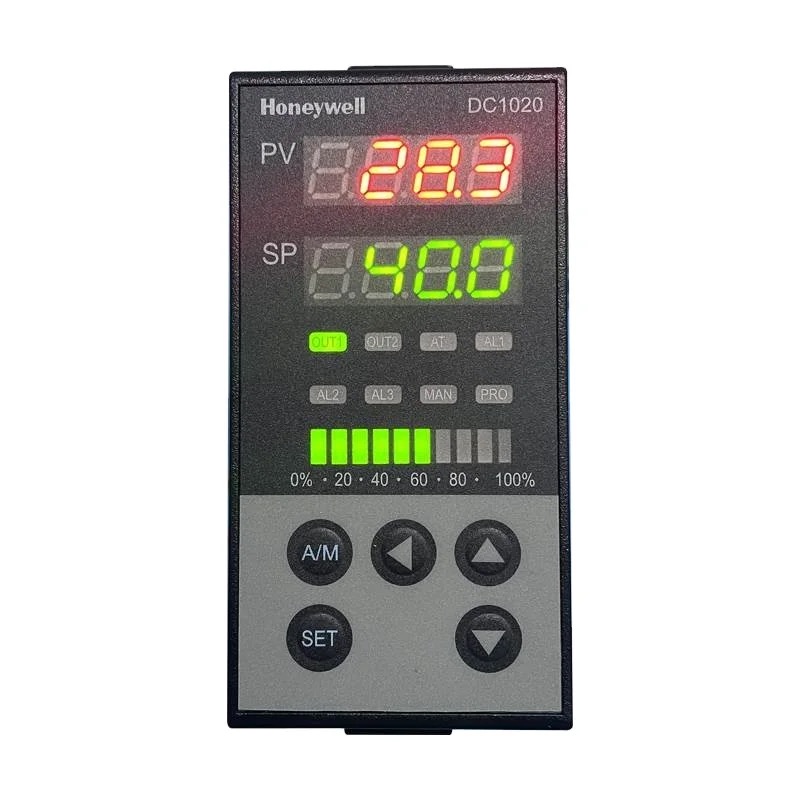
DC1000 Series • Refrigeration Controller
Quick Info
Output Functions
1/8 DIN controller with ramp/soak programming
Technical Specifications
Display & Interface
| Display Type | LED |
| Display Digits | 4 |
| Buttons | 4 |
| LED Indicators | Out 1, Out 2, AL1, AL2, Program |
Power Supply
| Voltage | 100-240V AC |
| Voltage Range | 85-264V AC |
| Frequency | 50/60Hz |
| Power Consumption | 8VA |
Sensor Inputs
| Probe Inputs | 1 |
| Probe Type | TC / RTD / mA / mV |
| Temp Range | -200 to 1800°C |
| Accuracy | ±0.1°C |
Relay Outputs
| Relay Outputs | 3 |
| Relay Rating | 3A/250VAC |
Physical
| Panel Size | 48x96 mm |
| Depth | 110 mm |
| IP Rating | IP65 (front) |
| Weight | 280 g |
Operating Conditions
| Operating Temp | 0 to 50°C |
| Storage Temp | -20 to 70°C |
Wiring Terminals
| Terminal | Function | Type | Wire Color |
|---|---|---|---|
| L | Power L | Input |
brown
|
| N | Power N | Input |
blue
|
| 1 | Sensor + | Input |
red
|
| 2 | Sensor - | Input |
white
|
| R1 | Relay 1 (Heat) | Output |
black
|
| R2 | Relay 2 (Cool) | Output |
blue
|
| R3 | Relay 3 (Alarm) | Output |
red
|
| A | RS485 A | Comm |
blue
|
| B | RS485 B | Comm |
yellow
|
Important: Always disconnect power before wiring. Verify terminal numbers with the actual controller label before connecting.
Parameter Settings
| Code | Parameter | Range | Default | Description |
|---|---|---|---|---|
| SP | Setpoint | Per sensor | 25 °C | Temperature setpoint |
| InP | Input Type | 0-15 | 1 | Sensor selection |
| Ctrl | Control Mode | 0-4 | 1 | Control type |
| Pb | Prop Band | 0.1 to 999.9 | 20 °C | PID P |
| Ti | Integral | 0 to 9999 | 300 s | PID I |
| Td | Derivative | 0 to 9999 | 60 s | PID D |
| PrG | Program Select | 0-4 | 0 | Ramp/soak program |
| StP | Segments | 1 to 16 | 4 | Program segments |
| AL1 | Alarm 1 | Per sensor | 50 °C | High alarm |
| Adr | Modbus Address | 1 to 247 | 1 | Network address |
Error Codes
Solution: Check sensor
Solution: Check wiring
Solution: Check sensor type
Solution: Check ramp/soak settings
Frequently Asked Questions
Navigate to PrG menu, set segments, then define each segment SP and time
Up to 4 independent programs with 16 segments each
Alternative Models (Cross Reference)
Manufacturer Information
Brand: Honeywell
Country: USA